Divi Scroller DS Documentation
On this page
Divi Scroller DS adds seamless, endlessly looping scrollers to the Divi 5 Visual Builder. This guide covers installation, every module and setting, the ready-made designs and the upgrade from version 1.
Overview and requirements
The five modules
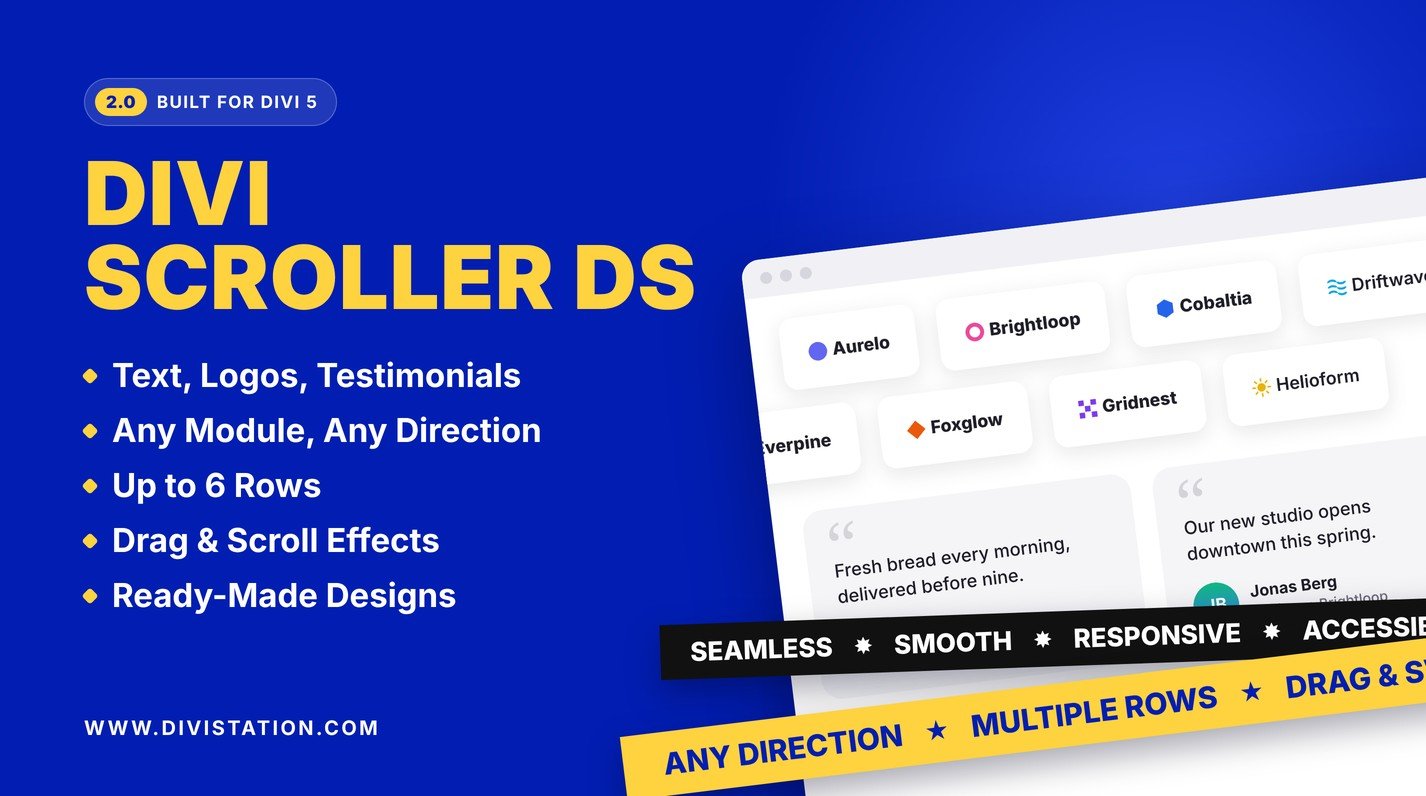
All five modules appear as blue tiles with a “DS” badge in the Divi module list. Search for “scroller” to find them quickly.
- Text Scroller: a line of scrolling words or phrases, for headlines, tickers and keyword bands.
- Logo Scroller: a scrolling logo wall built from images you pick in the media library.
- Scroller: scrolls any Divi modules, plus its own Scroller Item and Scroller Testimonial modules.
- Scroller Item (inside a Scroller): a quick item with text, an image, or both.
- Scroller Testimonial (inside a Scroller): a card with photo, name, position and testimonial text.
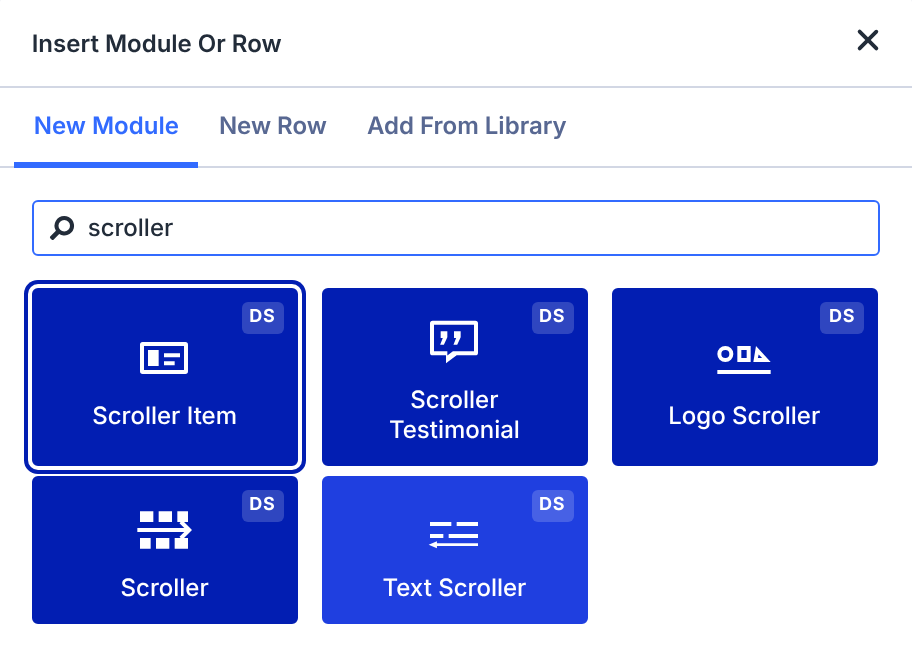
Text Scroller, Logo Scroller and Scroller share the same scrolling engine and the same settings for speed, direction, rows, drag, page scroll effects, separators, ribbon and the pause button, so once you know one module you know them all.
Requirements
- Divi 5.12 or later for the 2.0 modules (tested with Divi 5.14)
- WordPress 6.0 or later
- PHP 7.4 or later
On a Divi 4 site, the plugin keeps the version 1 modules working. See Upgrading from version 1 and Divi 4.
Privacy
Divi Scroller DS collects no personal data, sets no cookies and connects to no external services.
Installation and getting started
Install the plugin
- Download the plugin zip from your Divi Marketplace account.
- In WordPress, go to Plugins > Add New > Upload Plugin, choose the zip and click Install Now.
- Click Activate.
Updates are delivered through Divi’s update system, like other Divi Marketplace products.
Build your first scroller in three steps
- Open a page with the Divi Visual Builder and add a module. Search for Text Scroller.
- In Content > Text > Text Items, type your first phrase, then add more items with the plus button.
- Open Design > Ready-Made Design and pick Big Headline. Save the page.
Import the demo layout
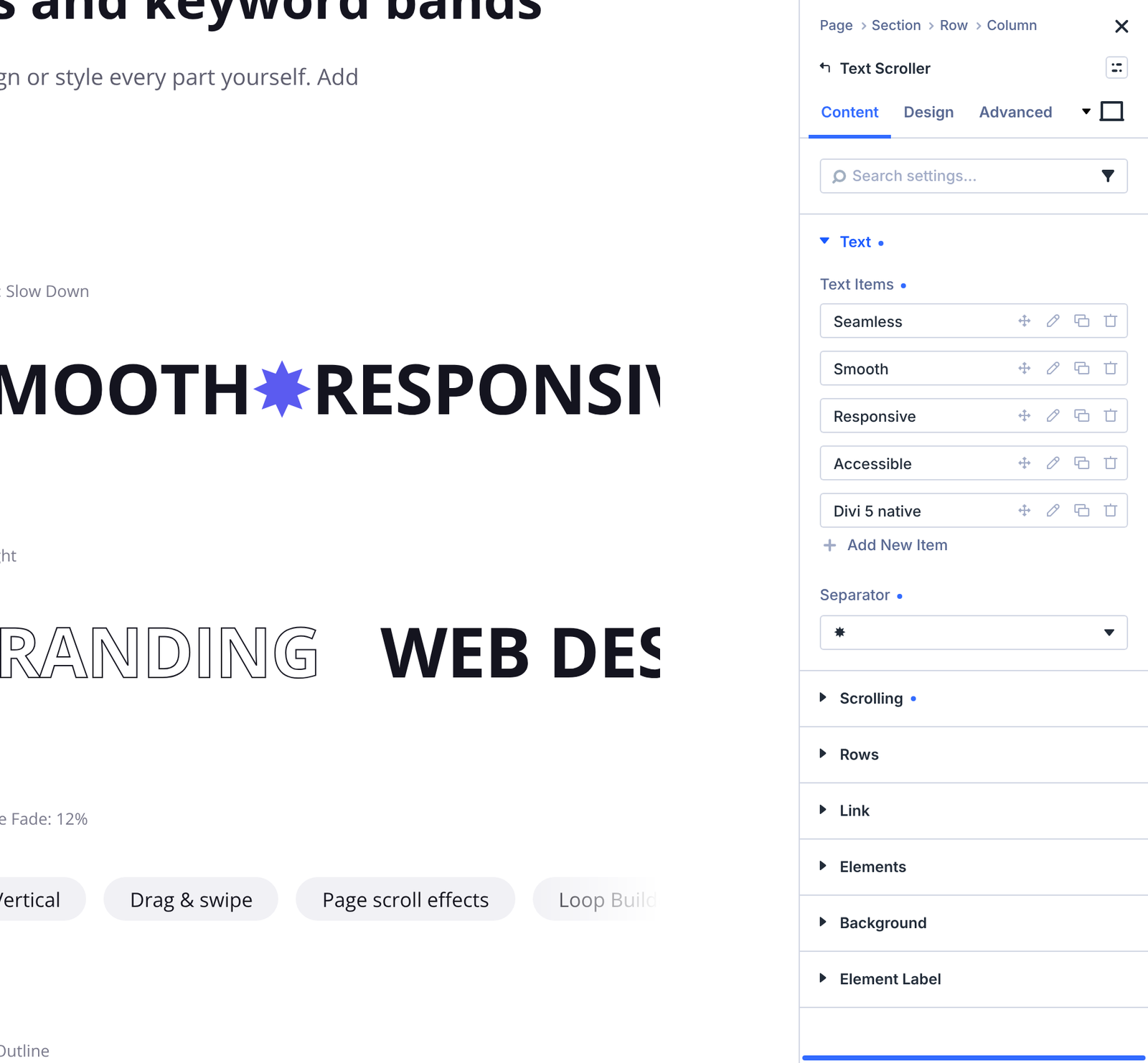
The plugin zip includes a demo page with every design and feature: layouts/divi-scroller-designs.json. Unzip the plugin on your computer to get the file, then:
- Open a new page with the Divi Visual Builder.
- Open the Portability options and choose Import.
- Select
divi-scroller-designs.jsonand import it.
The demo uses fictional brands and people, so you can replace the content with your own.